Defining Your Ideal Customer Profile (ICP) on Google Maps
Google Maps is more than just a navigation tool; it's a rich directory of businesses operating in specific geographic areas. The first step to effectively generate B2B leads Google Maps is to clearly define who you're looking for. Without a precise Ideal Customer Profile (ICP), you'll waste time on irrelevant prospects.
Identify Your Target Industry and Location
Think about which types of businesses benefit most from your product or service. Are they restaurants, dental clinics, auto repair shops, or IT consultancies? Pinpoint the exact industries. Next, specify your geographic focus. Are you targeting a single city, a state, or specific neighborhoods?
For example, if you sell specialized accounting software for small businesses, your ICP might be "accounting firms with 5-20 employees in the Dallas-Fort Worth metropolitan area." This specificity will guide your searches directly on Google Maps.
Brainstorm Keywords and Business Categories
Once you have your industry and location, list all potential keywords a business in that category might use in their Google Maps listing. Consider both broad and niche terms. For a cleaning service provider targeting offices, keywords might include:
- "Office Cleaning Services"
- "Commercial Janitorial"
- "Business Cleaning"
- "Facility Management Dallas"
- "Post-Construction Cleaning"
Use these keywords directly in the Google Maps search bar. Google Maps allows you to filter results by categories like "Restaurant," "Service," or "Shopping," but specific keyword searches often yield more granular results.
Advanced Search & Filtering for Lead Discovery
Simply typing a keyword into Google Maps will give you a list, but applying advanced search techniques helps you narrow down to the most promising B2B prospects. This is where you move beyond basic exploration to strategic lead identification.
Using Specific Search Modifiers
Google Maps' search functionality is powerful if you know how to use it. Combine keywords with location modifiers for precision. Instead of just "plumber," try "plumber services commercial Atlanta GA." You can also look for specific attributes:
- "Open 24 hours": Useful if your service caters to businesses with non-standard hours.
- "Has reviews": Indicates an active business with customer interaction.
- "Website": Ensures they have an online presence you can investigate further.
Observe the number of reviews and average star ratings. While a business with few reviews might indicate a newer operation, a business with hundreds of reviews and a lower rating could signal potential issues you could help solve.
Filtering by Business Attributes and Engagement
Google Maps doesn't offer robust built-in filters for B2B attributes beyond basic categories. However, you can visually filter or use search operators to identify key signals. For instance, look for businesses that have:
- A high number of reviews (e.g., 50+): Shows they are established and have a customer base.
- Recent reviews: Indicates ongoing activity and customer engagement.
- Photos uploaded by the business: Suggests an investment in their online presence.
- A listed website and phone number: Essential for direct outreach.
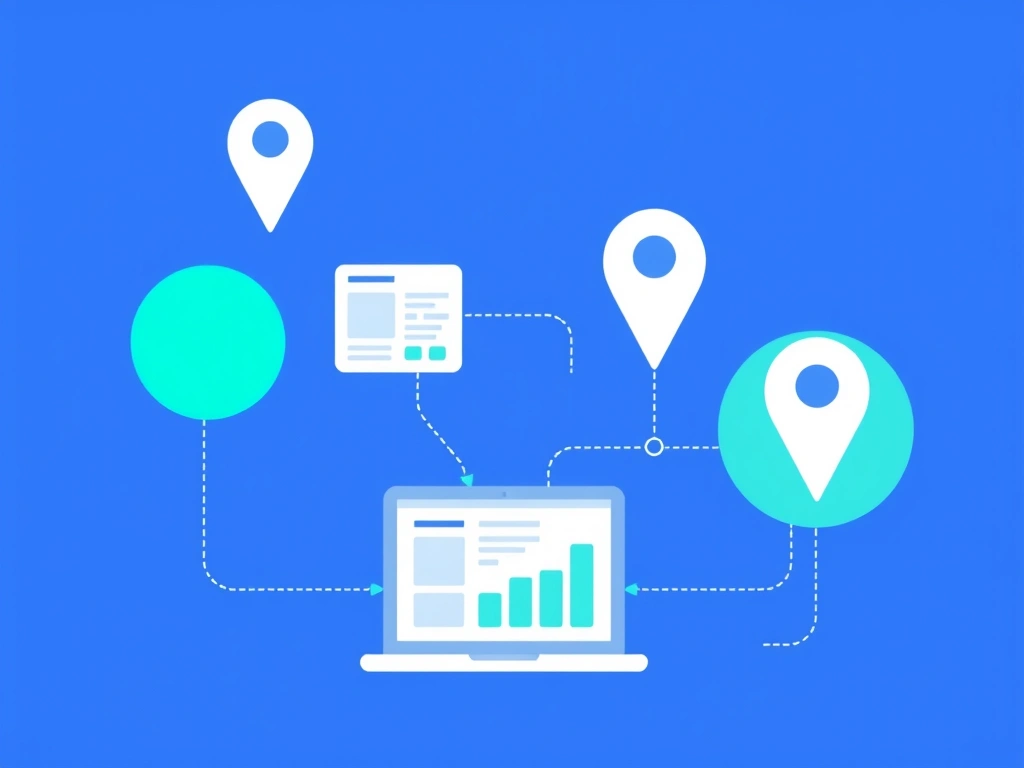
Manually sifting through hundreds of listings can be slow. This is where automation becomes critical to efficiently generate B2B leads Google Maps. Tools specifically designed for this purpose can scrape these details rapidly. For example, EasyMapLeads can automate the extraction of business information, including website URLs, phone numbers, and even verified email addresses directly from Google Maps listings, saving you significant time.
Extracting and Verifying Valuable Contact Data
Finding businesses is only half the battle. To initiate outreach, you need accurate contact information. This phase focuses on gathering, enriching, and verifying the data points required for your sales team.
Manual vs. Automated Data Extraction
Manually visiting each Google Maps listing, copying the business name, address, phone number, and website URL into a spreadsheet is feasible for a handful of leads, but it's not scalable. For a serious lead generation effort, automation is essential.
Automated tools can scrape thousands of listings quickly. They collect data points that are publicly visible on Google Maps. The typical data points you'll want to extract include:
| Data Point | Importance | Notes for B2B Outreach |
|---|---|---|
| Business Name | High | For personalization and CRM entry. |
| Address | Medium | For geo-targeting or local visits. |
| Phone Number | High | For cold calling or SMS marketing. |
| Website URL | Critical | For pre-call research and email domain. |
| Email Address | Critical | For cold email campaigns. Often requires additional tools. |
| Google Rating | High | Insight into customer satisfaction, an excellent icebreaker. |
| Number of Reviews | High | Indicates business volume and online presence. |
| Category/Industry | High | For segmentation and targeted messaging. |
The Crucial Role of Verified Emails and Personalization
While Google Maps often provides a business's website and phone number, direct email addresses for key decision-makers are less common. This is where specialized tools shine. You can use tools that visit the extracted websites to find contact pages or use email-finding algorithms.
More advanced platforms, like EasyMapLeads, not only extract common contact details but also provide verified business emails. Beyond just finding emails, these tools can generate AI-powered personalized icebreakers based on the Google Maps data (e.g., their reviews, services listed, or website content). This level of personalization significantly increases the effectiveness of your cold outreach, moving you closer to successfully generate B2B leads Google Maps has to offer.
"The future of lead generation isn't about more contacts, it's about better conversations. Personalized outreach, informed by deep insights, will always outperform generic blasts."
After extraction, always perform a quick data hygiene check. Remove duplicates, check for formatting errors, and ensure the data makes sense for your target ICP.
Qualifying and Segmenting Your Extracted Leads
Not every business you extract from Google Maps will be an ideal fit. Effective lead generation involves a rigorous qualification process to focus your efforts on prospects most likely to convert. This is about prioritizing your list.
Beyond Basic Contact Info: Deep Dive Research
Once you have a list of businesses, take a closer look at their Google Maps profile and their website. Consider these questions:
- Website Quality: Does their website look professional and up-to-date? A neglected website might indicate a business struggling or one that doesn't prioritize online presence, which could be a pain point you address.
- Review Sentiment: Are the reviews generally positive? If there are recurring negative themes, can your product or service help solve those problems? For example, if many reviews mention slow service, and you offer a scheduling solution, that's a perfect match.
- Services Offered: Does their listed services on Google Maps or their website align with your understanding of your ICP? Avoid generic businesses and seek out those with specific needs your solution can meet.
- Recent Activity: When was their last Google review? Are they posting updates to their Google Business Profile? Active businesses are often more receptive to new solutions.
This deeper dive helps you understand the business context, moving beyond just contact details to genuine potential.
Developing a Lead Scoring System
To prioritize, assign a simple lead score. This doesn't need to be complex. For example:
- High Priority (Score 3): Matches all ICP criteria, has a professional website, 50+ reviews with a 4.5+ star rating, and clear pain points your solution addresses.
- Medium Priority (Score 2): Matches most ICP criteria, decent website, 20-49 reviews, 4.0-4.4 star rating, potential fit.
- Low Priority (Score 1): Matches some ICP criteria, basic website, fewer than 20 reviews, below 4.0 star rating, less obvious fit.
Focus your initial outreach efforts on high-priority leads. This systematic approach ensures your team spends time on the most valuable opportunities. Proper qualification is key to truly generate B2B leads Google Maps can provide.
Crafting Highly Targeted Outreach Strategies
With a qualified list in hand, the next step is to initiate contact. Generic, mass emails or calls will yield poor results. Your outreach must be highly personalized and demonstrate that you've done your homework.
Personalization Based on Google Maps Insights
Use the information you gathered from Google Maps and their website to craft compelling opening lines. This shows you're not just sending a blanket email.
Consider these examples:
- "Hi [Name], I was browsing local [Industry] businesses on Google Maps and your [Business Name] caught my eye, especially your 4.8-star rating across 150+ reviews. That’s impressive!"
- "I noticed on your Google Business Profile that you recently added 'XYZ Service.' We help businesses offering similar services to [achieve specific benefit]."
- "While researching [City] law firms, I came across [Business Name] and saw a recent review mentioning [specific pain point, e.g., 'difficulty booking appointments']. We specialize in streamlining that exact process."
These specific references break through the noise. They immediately tell the prospect that your message is relevant to them.
Multi-Channel Outreach
Don't rely on a single channel. A multi-channel approach often performs best:
- Cold Email: Your primary channel. Keep it concise, focused on their potential pain points, and offer a clear next step (e.g., a 15-minute call).
- Cold Calling: If you have phone numbers, a well-researched cold call can be very effective. Reference your Google Maps findings in your opening.
- LinkedIn: Search for decision-makers at the company. Connect with a personalized message referencing your Google Maps discovery.
- Website Contact Forms: As a last resort, if no direct email is found, use their website contact form, but keep the message brief and direct to avoid being flagged as spam.
Remember, the goal isn't to sell in the first interaction, but to open a dialogue and understand their needs better. Your ability to demonstrate specific knowledge about their business, often gleaned from their Google Maps presence, will differentiate you significantly.
Frequently Asked Questions
Is it legal to scrape business data from Google Maps?
Publicly available business information on Google Maps, such as business names, addresses, and phone numbers, is generally considered fair game for collection. However, specific regulations like GDPR or CCPA may apply to personal data (e.g., individual email addresses), so always ensure compliance when processing and storing contact information.
What's the best way to get verified email addresses from Google Maps listings?
While Google Maps itself rarely provides direct email addresses, you can use specialized lead generation tools that automate the process of visiting extracted websites and finding verified business emails. Some tools also use algorithms to infer common email formats or search publicly available databases to provide validated contact information.
How can I avoid sending generic messages when reaching out to Google Maps leads?
Personalize your outreach by referencing specific details from their Google Maps listing, such as their star rating, number of reviews, listed services, or recent updates. Mentioning these specific observations immediately shows you've researched their business and makes your message more relevant and engaging.
Can I target specific business sizes or revenue levels using Google Maps?
Google Maps does not directly offer filters for business size or revenue. However, you can infer these details by observing the number of reviews, the scale of their physical location (from photos), the professionalism of their website, and the services they list. Larger review counts often correlate with more established businesses.